
01
Invoices that look like your brand
Choose a template with your logo, colours and signature, then build invoices in minutes.
Create professional invoices, quotations and receipts, keep your sales records tidy and see what is still outstanding, all from one simple tool.

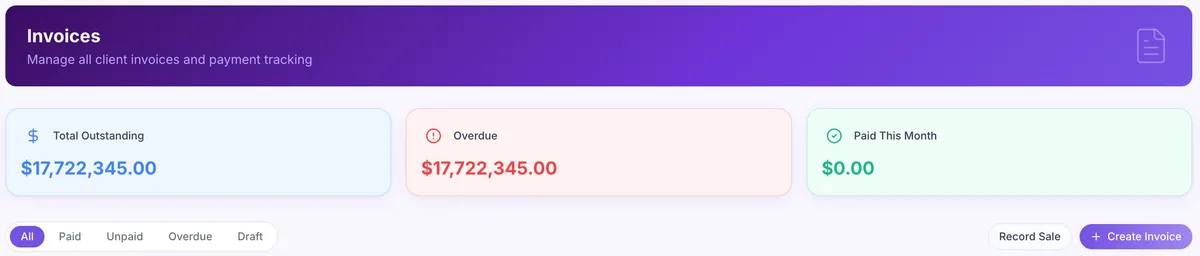
diGi INVOICE brings quotations, invoices, receipts and sales records together, giving you better financial visibility and far less paperwork.
Choose a template with your logo, colours and signature, then build invoices in minutes.
Send quotations and turn them into invoices once your customer agrees.
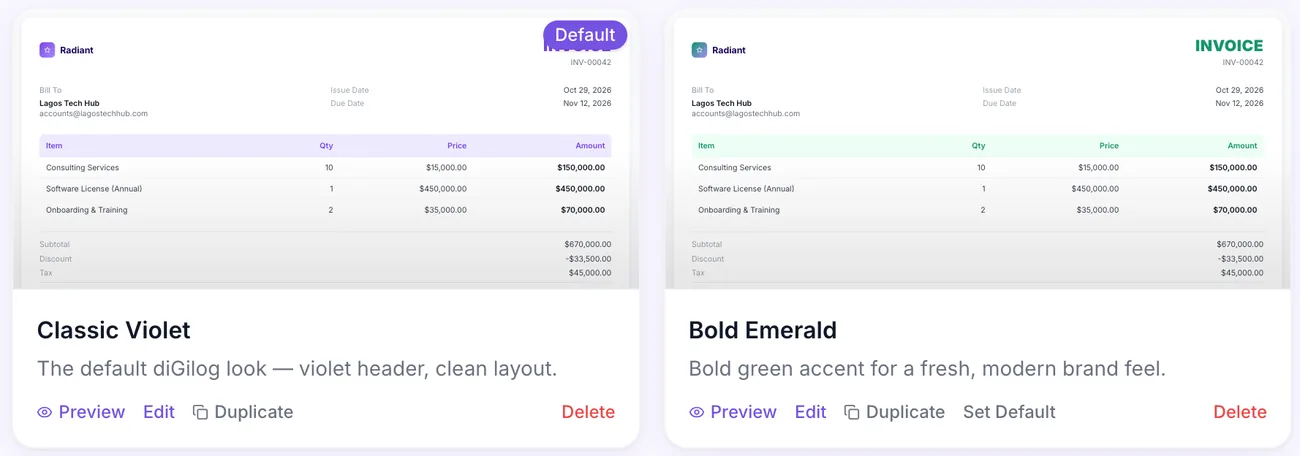 Branded templates with your logo and colours
Track total outstanding, overdue and paid this month at a glance.
Every invoice, quote and receipt kept in one organised list.
Find any invoice or receipt in seconds, without digging through files.
Bill each client in the currency they use, from US dollars to naira.
Every diGi INVOICE plan includes 2 users and 1 location, with extra users available at any time.
From the first quotation to the final receipt, diGi INVOICE keeps your billing organised.
Templates with your logo, colours, signature and custom fields.
Filter invoices by paid, unpaid, overdue and draft.
Record a completed sale and pick items from your inventory.
Send quotes and turn them into invoices.
Issue receipts with the payment method and reference.
See total outstanding, overdue and paid this month.
Invoice and issue receipts in your client's currency.
Invoicing activity and reports in one place.
Keep a library of invoice templates with your logo, colours, signature and custom fields, and choose the one each invoice should use.
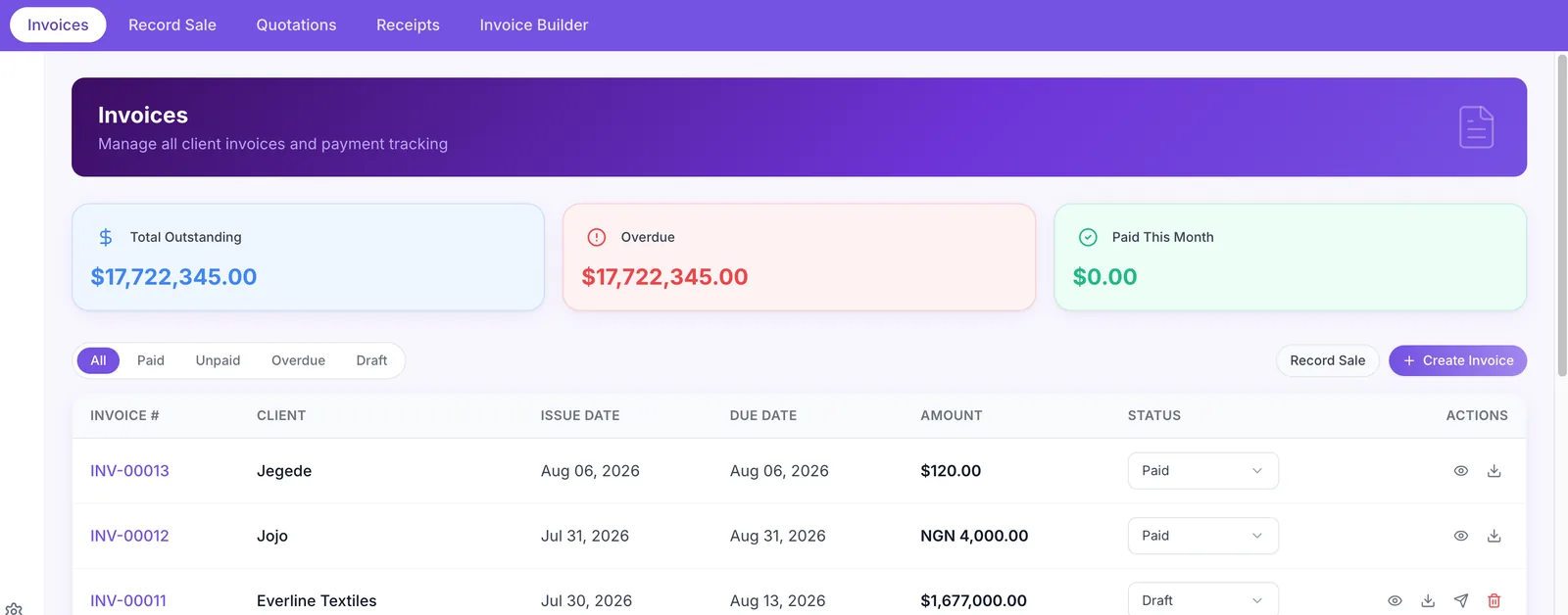
See every invoice with its client, dates, amount and status, and filter by paid, unpaid, overdue or draft to know exactly who to follow up.
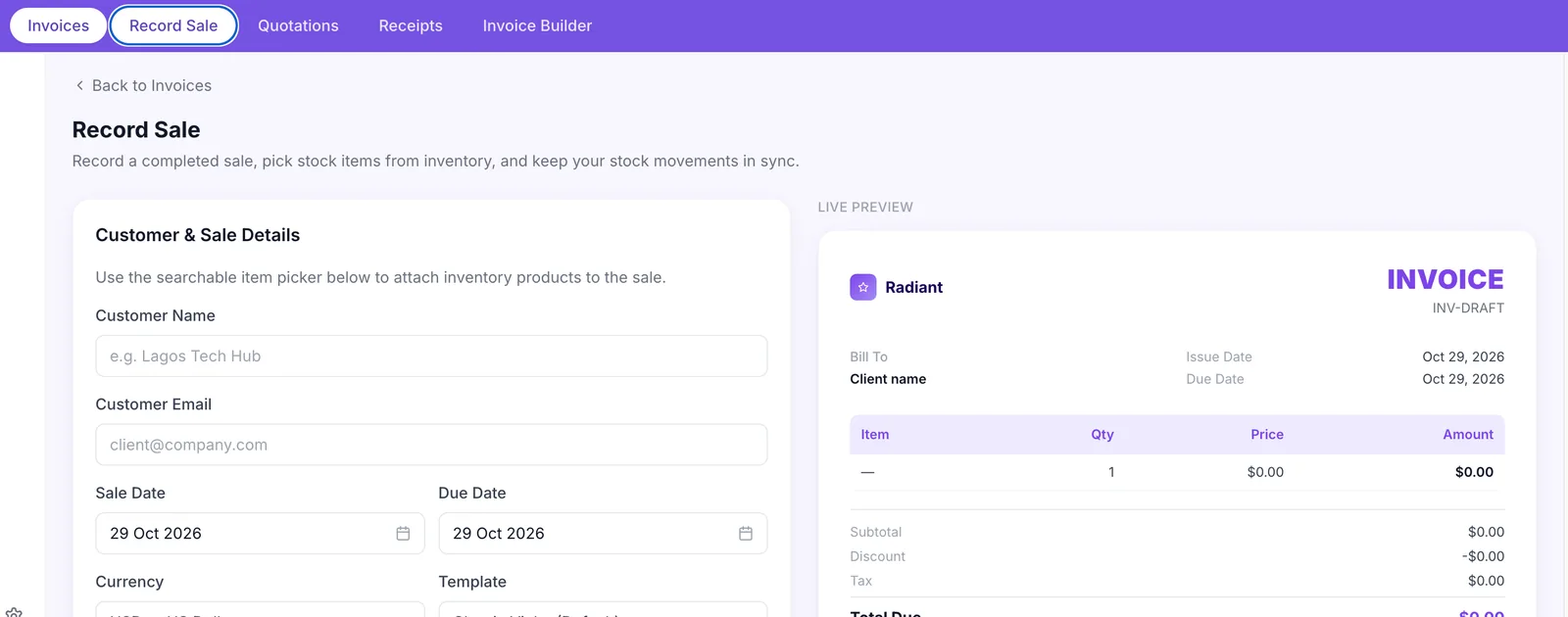
Record a completed sale, pick stock items from diGi INVENTORY and keep your stock movements in sync, with a live preview of the invoice beside the form.
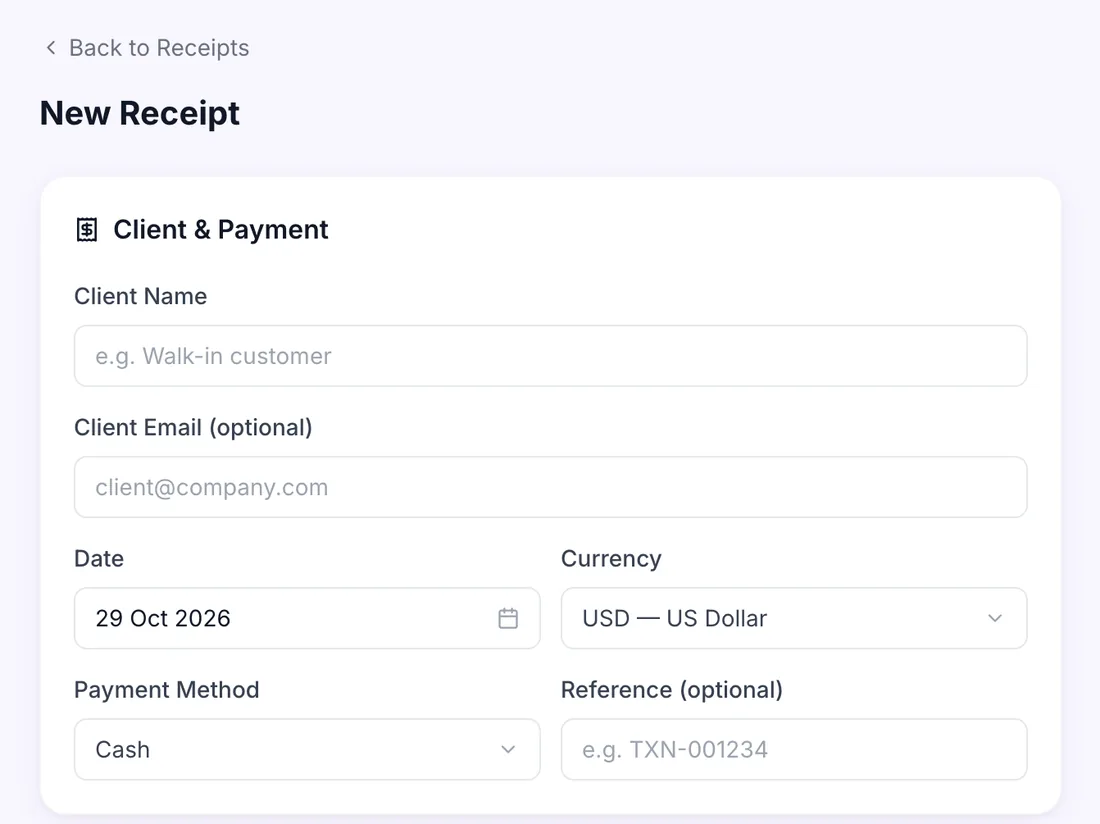
When a customer pays, record it and issue a receipt straight away, whether they are a regular client or a walk-in customer.
No credits and no top-ups. Choose monthly or annual billing and add users as your team grows.
diGi INVOICE
Create, send and get paid.
Compare prices and billing options on the diGi BIZ pricing page.
Create your account and choose diGi INVOICE.
Set up your business details and add your customers.
Send quotes and invoices, then record payments and receipts.
Want to talk through your billing? Book a demo and explore diGi INVOICE with our team.
Get started online in minutes, or book a demo and our team will walk you through diGi INVOICE.
Every diGi INVOICE plan includes 2 users. You can add more users at any time at the listed per-user price.
diGi INVOICE includes one location.
Yes. The invoice builder lets you create templates with your logo, colours, signature and custom fields, and set one as your default.
Yes. You choose the currency for each invoice, sale and receipt, so you can bill clients in the currency they use.
Yes. diGi INVOICE includes quotations, invoices and receipts, plus a list of all your sales records.
Yes. Choose monthly billing, or annual billing for a lower monthly rate.
Yes. CRM, Invoicing and Inventory are separate subscriptions in diGi BIZ. Start with Invoicing and add the others whenever you need them.
Bring quotations, invoices and receipts together with diGi INVOICE.