
Contacts and pipelines
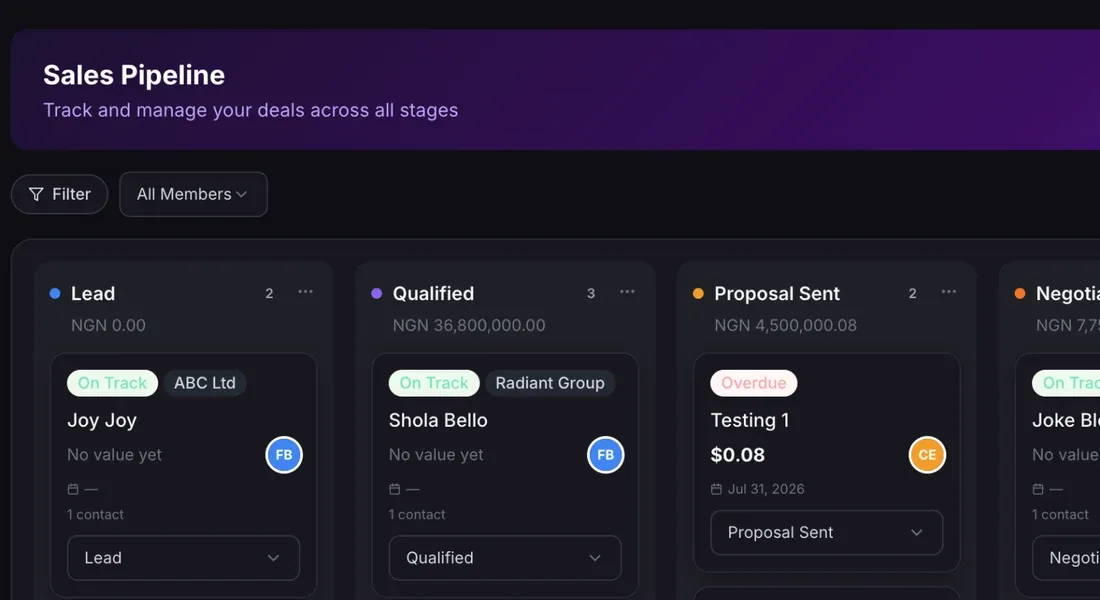
Manage contacts, deals, tasks and follow-ups in the CRM.
CRM, Invoicing and Inventory are focused tools for the work that keeps money coming in. Start with the one you need and add the others as you grow.
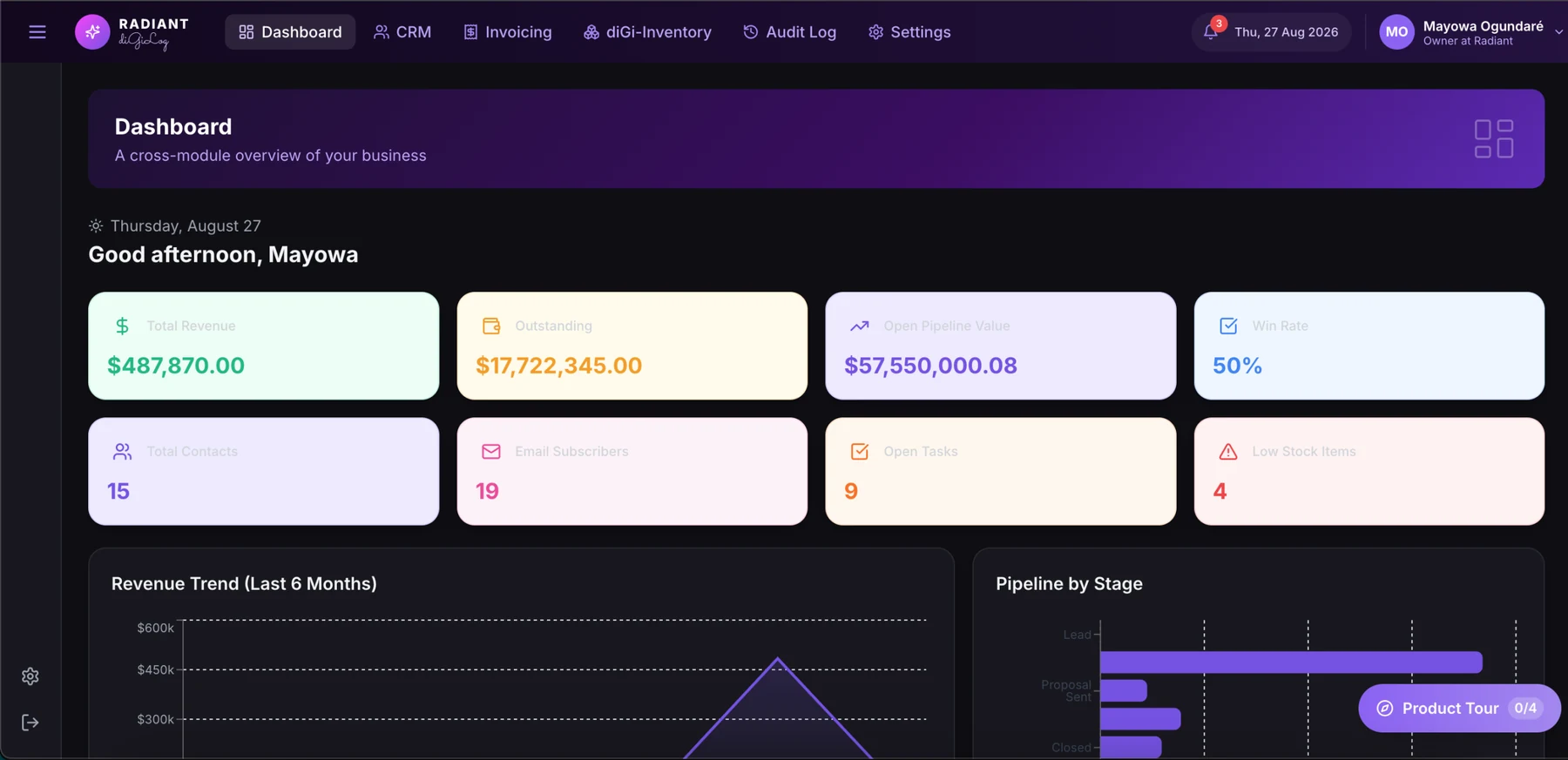
Each tool does its job well on its own, and shares the same dashboard, roles and audit trail when you use them together.
Manage contacts, deals, tasks and follow-ups in the CRM.
Create invoices, quotes and receipts and keep sales records tidy.
Track products, suppliers, stock levels and transfers between sites.
Raise purchase orders, goods received notes and sales documents.
See revenue, pipeline and stock activity at a glance.
Control access, set notifications and keep a record of key actions.
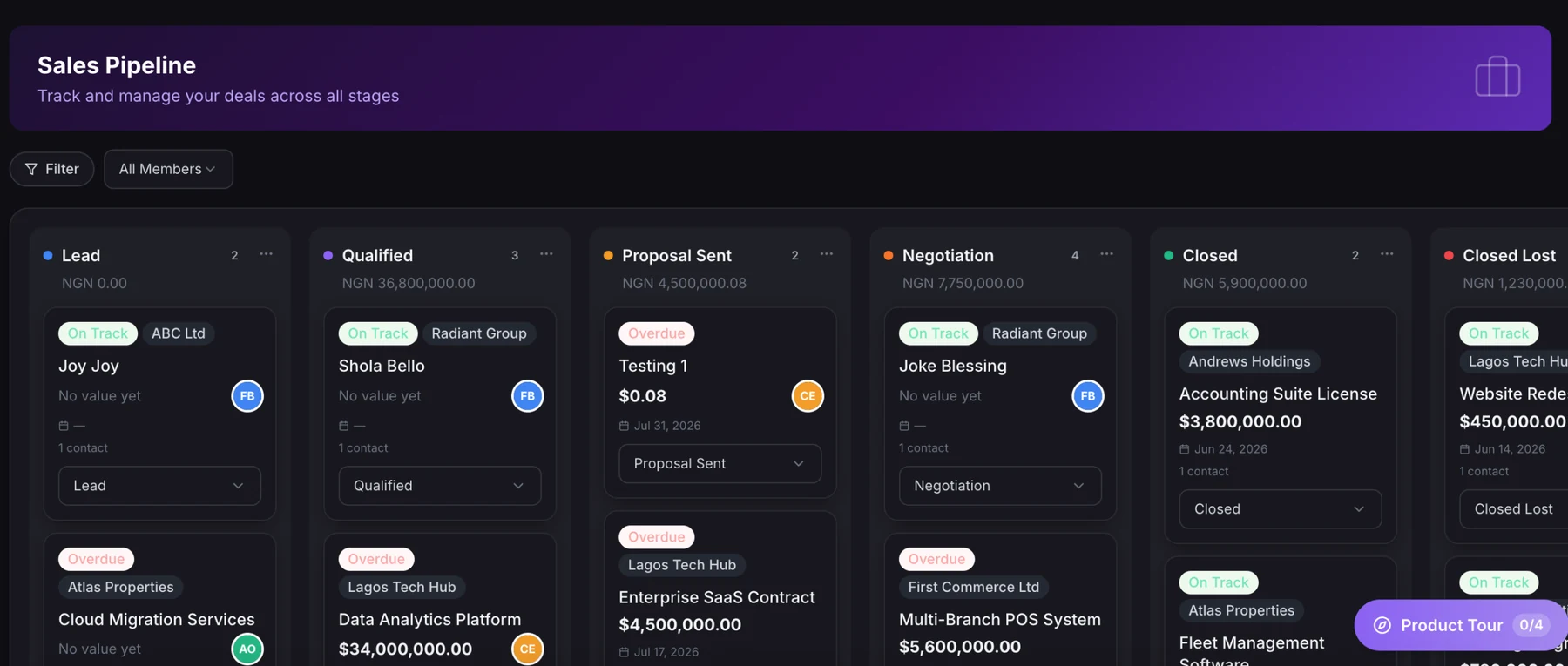
The CRM pipeline shows each deal, its value and its stage, so your sales team always knows what to chase next.
Each tool is its own subscription with users and locations included. Add more users or locations at any time.
For sales and customer teams
For billing and finance
For stock-based operations
Features and allowances depend on your plan. View full diGi BIZ pricing
Start with CRM, Invoicing or Inventory.
Add customers, products, suppliers or open sales documents.
Keep records current and review activity in dashboards.
Want to talk through your setup? Book a demo and explore diGi BIZ with our team.
No. CRM, Invoicing and Inventory are separate subscriptions. Start with one and add others when you need them.
CRM and Invoicing each include one location. Inventory includes two, with a listed price for additional locations.
Yes. Each tool includes a user allowance, and the pricing page lists the price for additional users.
Yes. The diGi BIZ pricing page compares monthly and annual billing for each subscription.
Start with the tool you need today, or see all three in a demo.
More from Radiant diGilog